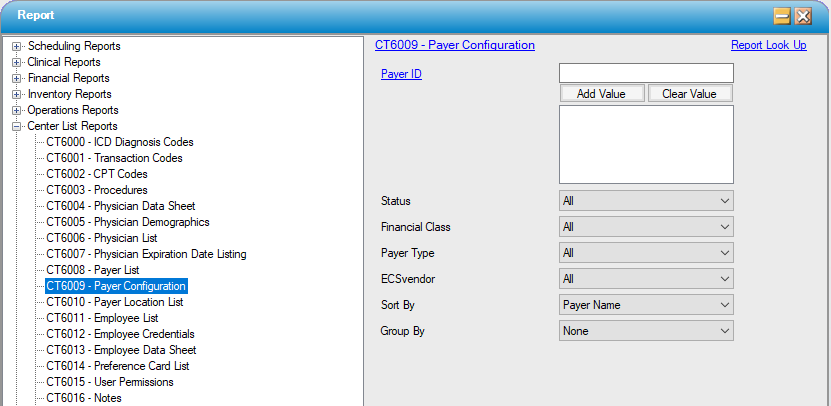
CT6009 – Payer Configuration
Function:
Displays detailed payer information as entered into the Payer Configuration area.
Usage:
Filter by individual payer(s), status, individual financial class or payer type, or by ECS vendor (clearinghouse).
The retrieved data can be sorted by Payer name, status, financial class, payer type or ECS vendor.
Results can be grouped by financial class, payer type, or ECS vendor.
Hints and Tips:
INCLUDES all payers and all claim types unless otherwise specified.
If setup or configuration issue occur with a particular claims clearinghouse, consider specifying the ECS vendor to review the data entry for all payers associated with that vendor.
This report prints one payer per page.
Notable Areas:
Claim Configuration: Displays much of the data entry from Payer Configuration, Claim Configuration area.
Payer Associated Transaction Codes: Displays all of the default transaction codes associated with this payer on the Default Transaction Codes tab.
Other Configurations: Displays relevant data from the Other Configuration tab of Payer Configuration.
Locations: Shows each location associated with this payer.
Sample Report:
For details on available output types, please see the Reports Overview help page.
Report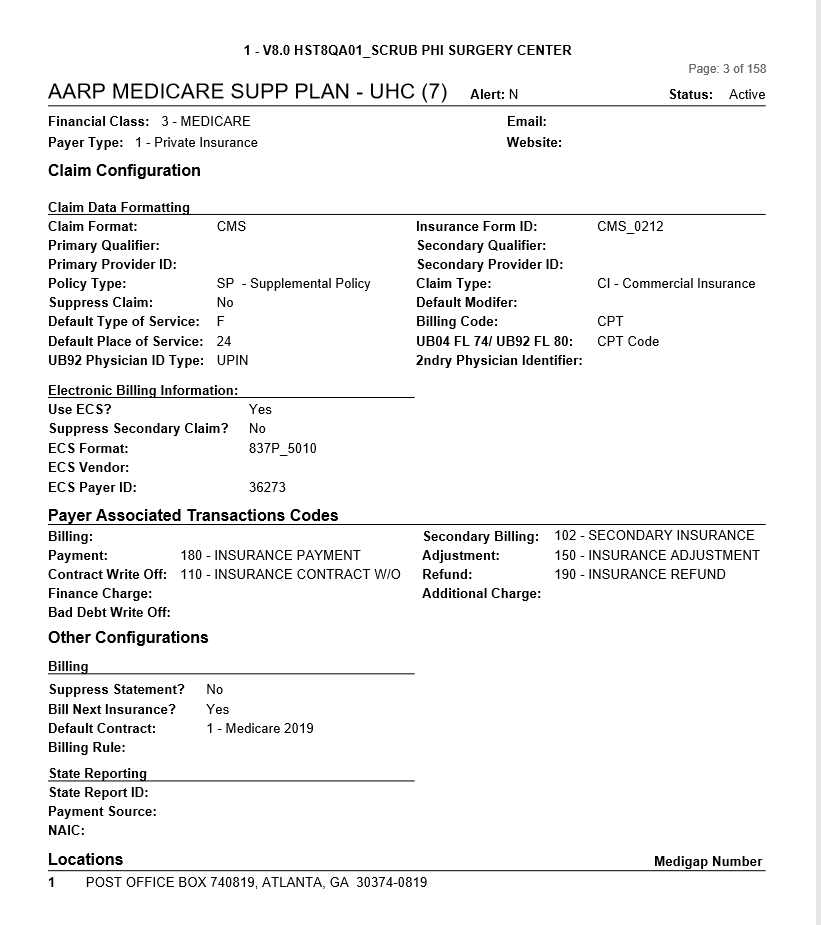 Filter: