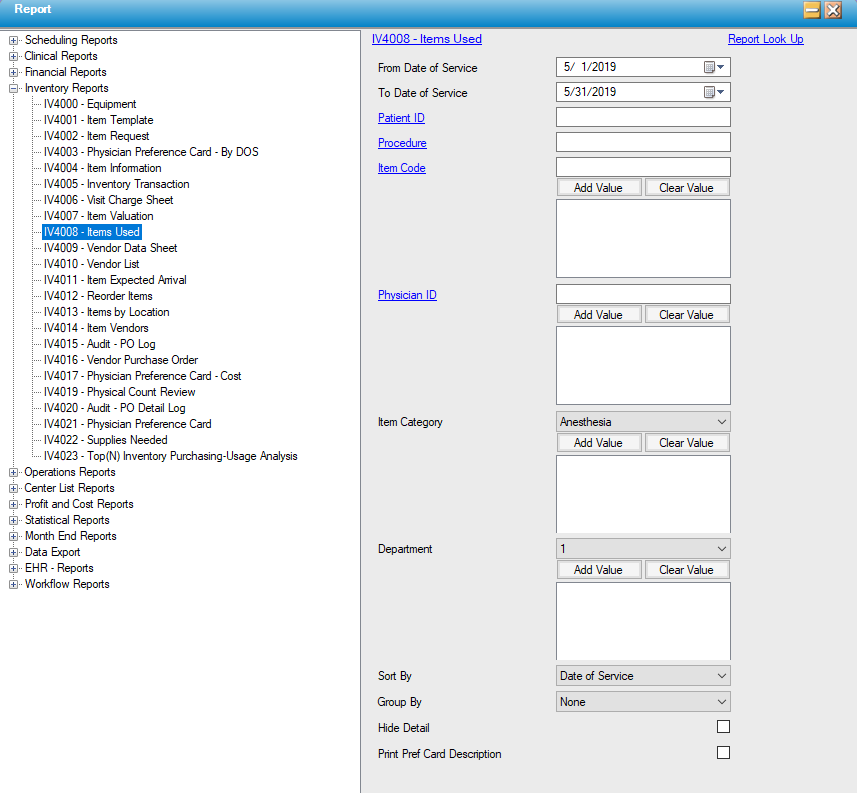
IV4008 – Items Used
Function:
Costing information on items used via Supplies Used for cases during the reporting period.
Usage:
- Select by Date of Service and further filter by specified Patient ID(s), Procedure, individual Item Code(s), or Physician ID(s).
- Sort by Date of Service, Item Code, (Item) Description, Item Category, Physician ID, or Procedure Code, Catalog Number or Department Code.
- Grouping can be done by Patient ID & Visit Number, Physician ID, Procedure Code, Item Category, Date of Service, Department Code, Revenue Code or Item Code.
- Click the "Hide Detail" check box to get a listing of just the "bottom line" subtotals for extended price and patient charges within each grouped category.
- The Preference Card Description from Item Master can be displayed rather than the Item Master Description.
Hints and Tips:
- INCLUDES all dates of service unless otherwise specified.
- Make the report patient specific by specifying patient ID(s) (like the Visit Charge Sheet) or more generalized to track costing by date of service, procedure or physician.
Notable Fields:
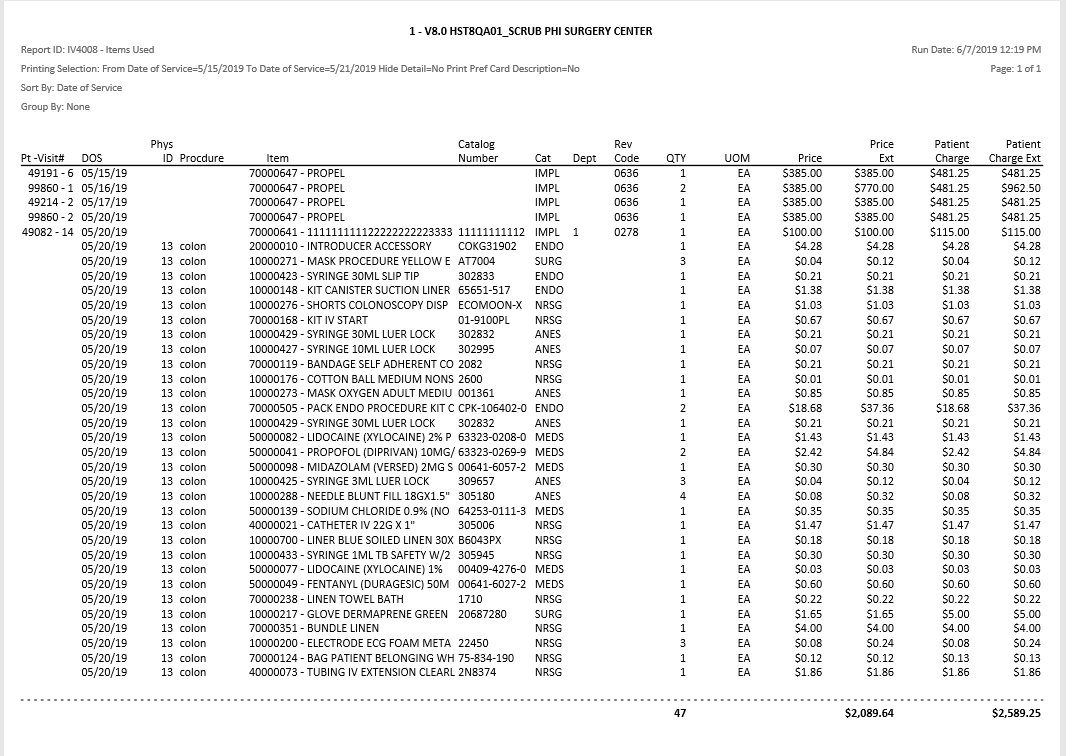
The information displayed will include both the Center's cost (current price in Item Master) and the Patient Charge (the markup cost in Item Master).
Sample Output:
For more information on report output options, view Reports Overview help page.
Report Filter: