North Carolina State Report (NC) and (NC2)
Many states require an annual report or survey submission; this report will provide the most-frequently-requested data elements to fulfill those requirements.
For set up and configuration, please see the Regulatory Reports set up help file.
Additional Information regarding North Carolina State Report (NC) and (NC2)
The vendor for this report is changing effective Q1 2020 . A new format has been established and dual reporting will be required from Q4 2019 through Q1 2020. The new format during the dual reporting period is North Carolina (NC2).
Excerpt from NCHA Notice:
The first test data submission to the new program will be in calendar year 2019, for the submission period that opens October 1, 2019 and is due November 15, 2019, with dual submission to IBM/Truven. The first “live” submission will be for the submission period that opens January 1, 2020 and is due February 15, 2020, with dual submission to IBM/Truven. All future submissions will be to the new system.
Important Links
https://www.ncha.org/
https://www.ncha.org/pds-migration-background-faq/ (Migration FAQ)
Generate Validation Report and Data Output
1. Access Regulatory Reports on the menu and select the report from the drop down list.
2. Run the Data Verification and correct any issues and re-run the report until there are no issues remaining on the report.
3. Generate Report and save to a local or network folder.
Sample Output
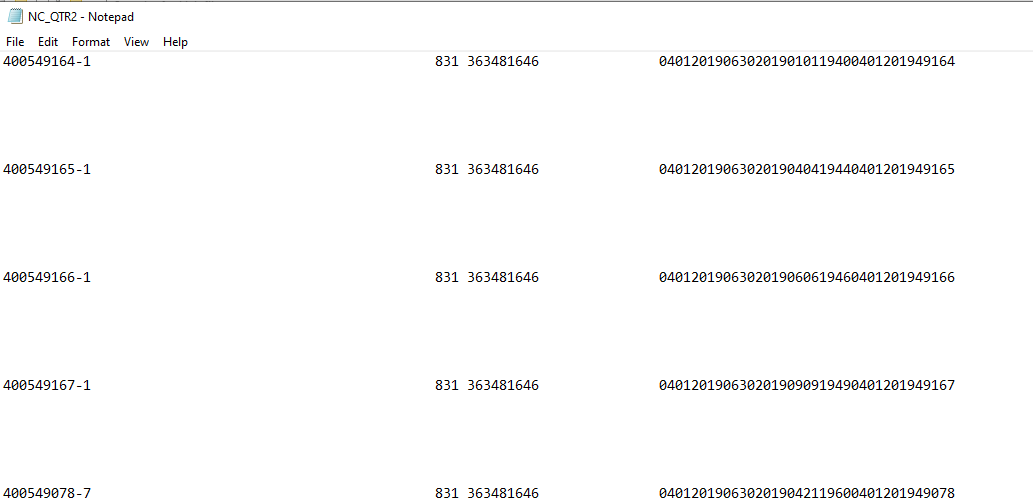
NC File Format: Flat File
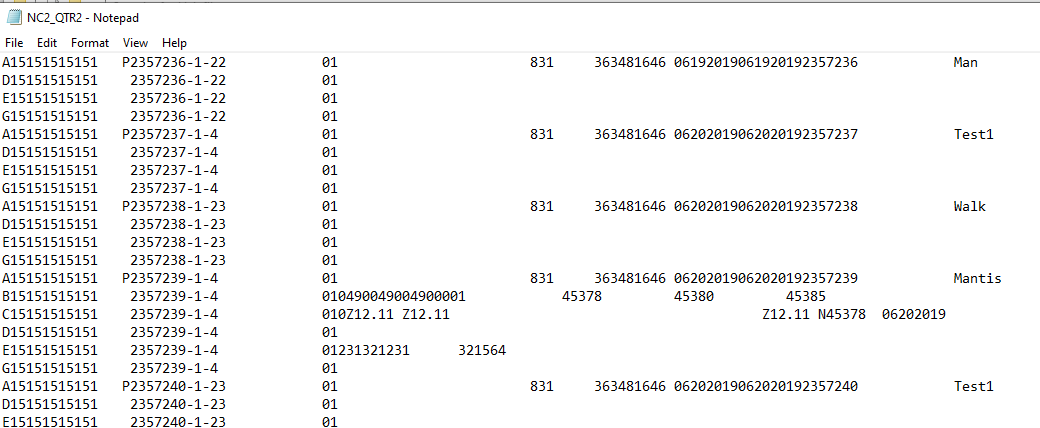
NC2 File Format: Flat File
North Carolina Financial Report Requirements
Go to Regulatory Reports > select NC-Financial from the drop down > Select the date range > Generate> and save to the appropriate folder.
Once the generation has been complete, go to the documents folder > right click on the file > and select "edit" or "open with" Notepad. Then select File > Save As > Change Save As to all files and change the suffix to .CSV instead of .TXT.