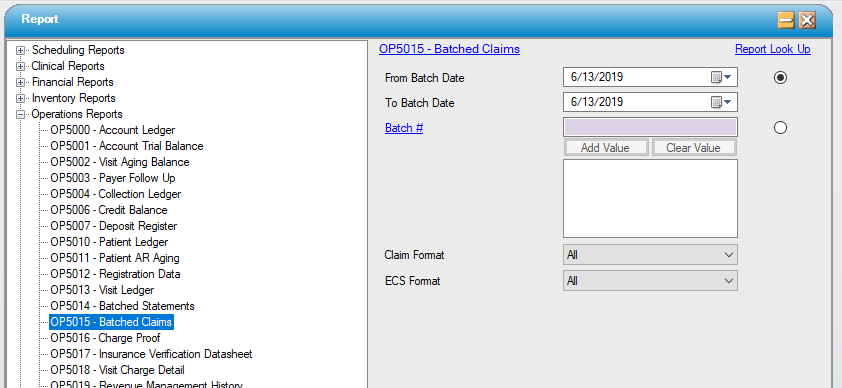
OP5015 — Batched Claims
Function:
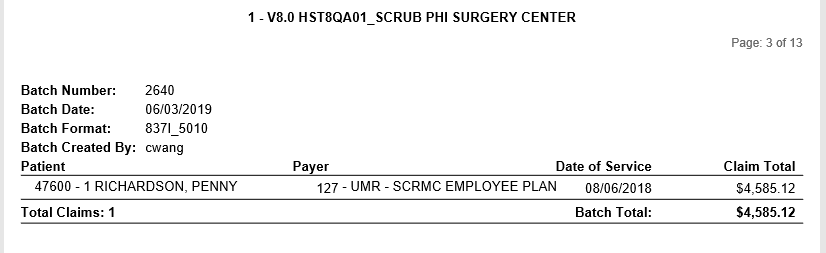
Summary information for each batch of patient claims produced under Create Claims. Displays claim form format (whether paper or ECS), accounts included in each batch, basic account information for each account listed, and a batch subtotal (total claims, total amount due in this batch). Prints a new page for each batch displayed.
Usage:
Select a batch date range, or specify batch number(s). Further narrow the results by specifying a format (show only paper UB claims, for instance), or specify an ECS format (show only Professional, or only Institutional, for instance).
Hints and Tips:
- Example: To see this month’s HCFA claims sent electronically, set the batch date range to this month to date, then go straight to “ECS Format” and specify “837P.”
- Default sort order is by batch number.
Sample Output:
For more information on report output options, view Reports Overview help page.
Report Filter: