Payer Level Statement Suppression
Administration > Payer > Configuration
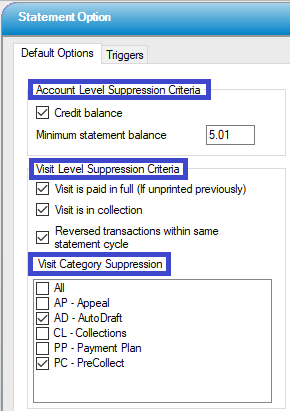
There are several ways to suppress patient statements in HST Practice Management. Most are found in Administration > Configuration > Statement Option.
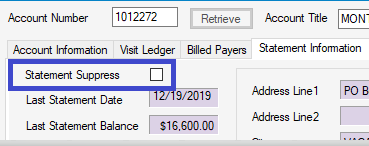
Statements can also be suppressed on an individual account level by checking the Statement Suppress box in the Statement Information tab in Billing > Patient Account.
Statements can also, however, be suppressed at the Payer level.
Centers that have the Statement Triggers in Statement Options set to Due From Insurance will be sending statements to patients even when the total balance is still due from the insurance. Many states, however, prohibit sending statements to patients who have Medicaid plans or Workers' Compensation claims.
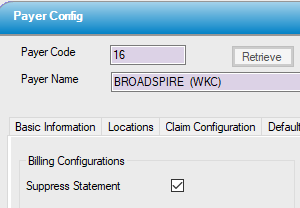
To prevent statements from generating for payers whose guidelines prohibit billing the patient, check the Suppress Statement box under Billing Configurations on the Other Configuration tab of Payer Configuration for those payers.